Variables
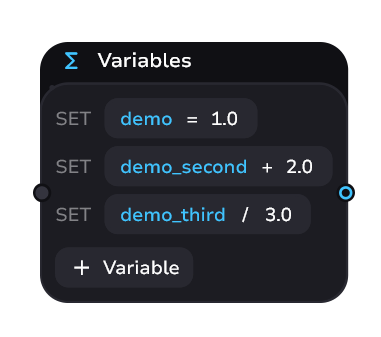
Just like in real life - the consequences of what you choose may not always happen immediately. Keeping track of this will help variables.
warning
This block is strongly related to condition. Separately, their existence makes no sense.
Announcement for 1.1.0
Variables Control
The variable sub-block is divided into:
- Variable
- Operator
- Value
Basic control:
- Create a variable - enter its name
- Press Enter or Tab to switch horizontally in the variable subblock - to operator or value
- Add a new variable - press “+ Variable” to create a new subblock
note
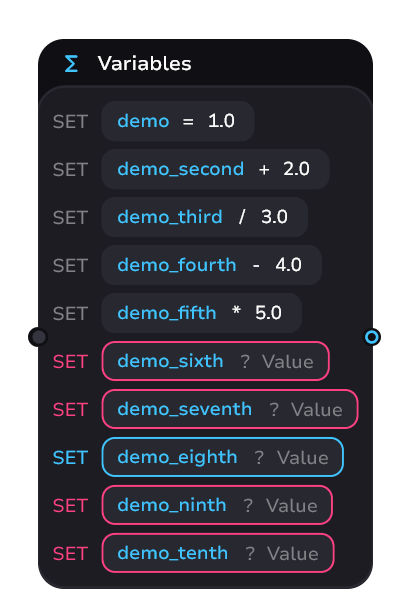
There can be only 10 sub-blocks in one variables block.
Example
Operators
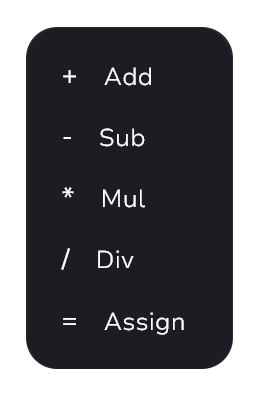
When you enter an operator, the modal window will prompt you to select the desired one. To add:
- Select from the list
- Enter the characters yourself and press Enter
Reusage
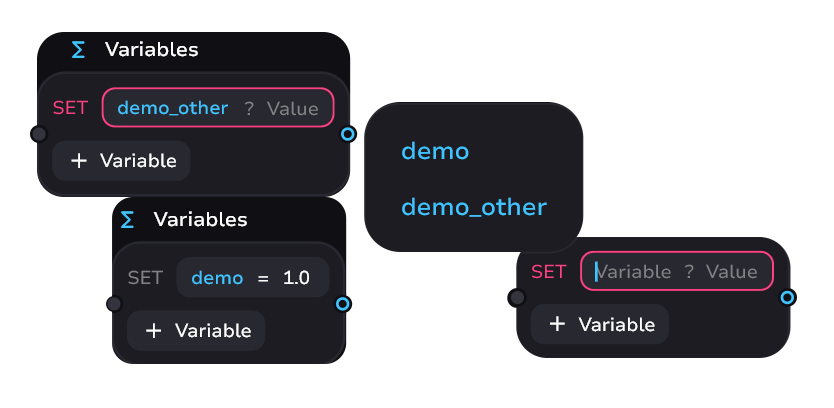
If a variable is already created in one block - it can be easily inserted in another block via a modal window. It opens automatically when you enter a variable name and prompts you to insert an existing one.